Fail-safe mode is a protective state designed to prevent unsafe or uncontrolled charging when critical data or communication is unavailable. Fail-safe mode is only applicable if the site has dynamic load management. Under Automatic mode, fail-safe mode is triggered when the site power demand reading is unavailable to BetterFleet.
Fail-safe mode may be triggered if BetterFleet Manage detects:
- Loss of communication with site power meters
- Invalid or missing electrical capacity data
- Loss of connectivity to on-site controller / IoT Hub
Step 1: Confirm Fail-Safe Status
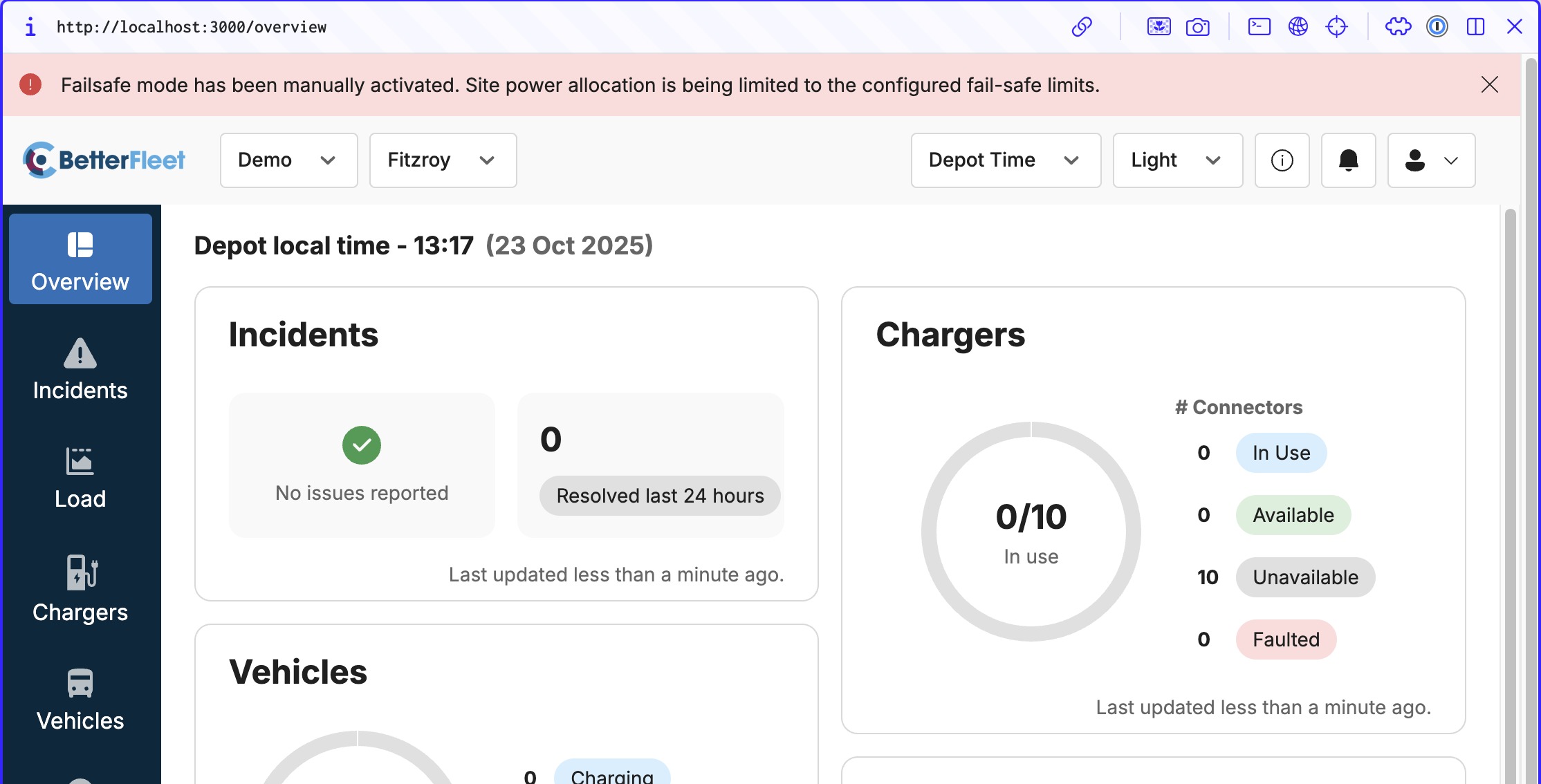
Confirm whether the depot is in fail-safe mode. A “Fail-Safe Mode Activated” message will show at the top of the screen if fail-safe mode persists. This message will stay unless the issue has been resolved (or the user has reverted to "Disabled" Fail-Safe Mode).
Step 2: Review Recent Site Events
Events on site could cause disruption to site power equipment which could trigger Fail-Safe mode on BetterFleet as a proactive measure to avoid circuit overloading.
Check:
- Recent network outages
- Power outages or disruption
- Maintenance activities at site
If Fail-Safe mode is only triggered for a very short period of time (<5 minutes) and does not reoccur, it is recommended to continue monitoring and only escalates if the issue reoccurs or any abnormality in charger operations is present.
If the issue persists, please provide any additional details so we can better assist you.
Was this article helpful?
That’s Great!
Thank you for your feedback
Sorry! We couldn't be helpful
Thank you for your feedback
Feedback sent
We appreciate your effort and will try to fix the article